Weekend Home Office Refresh: Calm, Focused Decor Tips
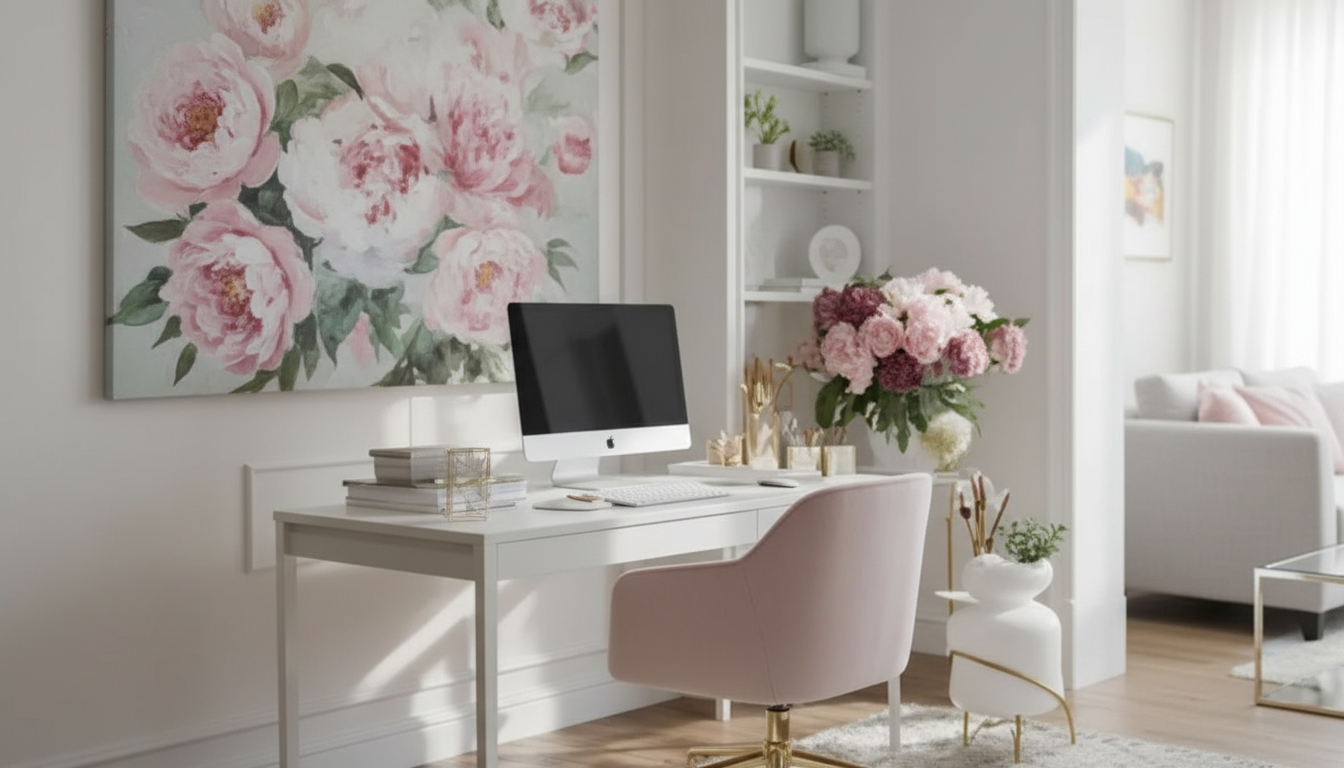
A Calm, Productive Home Office: Decorating Ideas You Can Implement in a Weekend
A home office works best when the room supports focus, comfort, and a clear workflow. The most effective upgrades usually come from a few high-impact decisions—layout, lighting, storage, and visual calm—rather than expensive overhauls. Use the guide below as a practical roadmap to refresh your space with choices that look intentional and help work feel lighter.
Start With the Room’s Job (Focus, Calls, Creative Work, or Mixed Use)
Before buying anything, decide what “good” looks like for your day-to-day. A space built for deep focus needs different priorities than a room that’s mostly video calls and quick admin tasks.
- Define the primary use: deep work, video calls, creative projects, admin tasks, or a blend.
- List the top three friction points (glare on screen, messy cables, nowhere to store paper, background clutter).
- Choose one “non-negotiable” comfort factor (quiet, daylight, extra monitor space, standing option).
- Pick a simple style direction to reduce decision fatigue: warm minimal, modern cozy, classic study, or bright creative.
If you want a guided, step-by-step plan you can check off quickly, the Interior Decorating Ideas for Home Office | Digital Download Checklist | Home Office eBook & Productivity Guide is an easy way to move from “ideas” to a finished-looking setup without second-guessing every decision.
Layout That Makes Work Feel Easier
Layout is the fastest way to make a room feel more functional—often without spending a dollar. Start with desk placement, then build two clear zones: where you work and where you support the work.
- Place the desk to minimize distractions and manage glare; aim for light coming from the side rather than directly behind or in front of the screen.
- Keep high-use items within arm’s reach (keyboard/mouse, notebook, water) and lower-use items in a nearby zone (printer, files).
- Create two zones when possible: “work zone” (desk) and “support zone” (storage, charging station, bookshelf).
- If space is tight, use vertical storage and a slim profile chair or wall-mounted shelves to keep the floor open.
Quick Layout Fixes by Common Problem
| Problem | Fast Fix | Decor Upgrade That Helps |
|---|---|---|
| Screen glare | Rotate desk so daylight hits from the side | Add a simple roller shade or light-filtering curtains |
| Cables everywhere | Bundle cords and label chargers | Use a cable box + desk-mounted tray for a cleaner look |
| Background clutter on calls | Turn camera toward a blank wall | Add one framed print + a plant for a tidy backdrop |
| No room for paper | Use one inbox tray only | Add a narrow wall shelf or vertical file organizer |
| Feels cramped | Clear the floor under the desk | Choose lighter wall color and a mirror to open the space visually |
Color and Texture: Make the Space Calm Without Feeling Cold
A calm office doesn’t have to feel sterile. The trick is controlling contrast and repeating a few materials so the room looks cohesive even when you’re mid-project.
- Use a restrained palette: one main neutral, one accent color, and one warm element (wood tone, brass, tan leather).
- If the room is energizing but chaotic, reduce high-contrast patterns and repeat one color across 2–3 items (rug, art, storage bins).
- For creativity, add a deliberate “spark” color in small doses (desk accessories, a pinboard border, one statement bookend).
- Balance hard surfaces (desk, monitor, shelving) with soft textures (rug, curtains, fabric chair, acoustic-friendly wall decor).
One weekend-friendly approach: choose an accent color you already own (like navy from a notebook cover or a favorite mug) and repeat it in two more places—then stop. That limit alone makes the space feel calmer.
Lighting That Supports Focus From Morning to Evening
Lighting changes how long you can work comfortably. Layering light prevents eye strain and keeps the room looking polished, not harsh.
- Layer lighting: ambient (ceiling), task (desk lamp), and optional accent (floor lamp or wall sconce).
- Prioritize a glare-free task light aimed at the work surface, not the screen.
- Use adjustable brightness for shifting tasks (reading, typing, video calls).
- Consider bulb temperature consistency across the room so it feels cohesive rather than patchy.
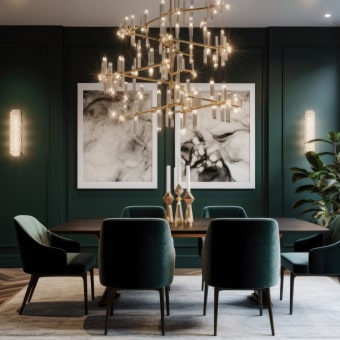
If you’re upgrading a ceiling fixture for a more intentional look, a statement piece can add “designed” energy instantly. The Vintage Glass Pendant Light with LED Compatibility for Indoor and Outdoor Spaces works as an elevated focal point—especially helpful in offices that double as a guest room or flex space.
Storage That Looks Like Decor (Not Like a Supply Closet)
Desk Styling: The “Useful and Beautiful” Checklist
Sound, Comfort, and Ergonomics Without Turning the Room Clinical
For practical ergonomics guidance, review the OSHA Computer Workstations eTool and the NIOSH ergonomics resources for screen height, posture, and repetitive strain basics.
A Simple Weekend Reset Plan
Digital Download Checklist and Guide for a Finished-Looking Home Office
For a simple, ready-to-use roadmap, explore the Interior Decorating Ideas for Home Office | Digital Download Checklist | Home Office eBook & Productivity Guide.
FAQ
What’s the fastest way to make a home office look more put together?
Clear the desktop, hide cables, and add one cohesive element like a desk mat, matching organizers, or a single framed print. Group visible items in trays so the room looks intentional even on busy days.
How can a small home office feel bigger without remodeling?
Use vertical storage, keep the floor under the desk open, and stick to lighter colors with fewer high-contrast patterns. A mirror and a couple of visually light accessories (glass or acrylic) can reduce visual heaviness.
How should lighting be set up for long computer sessions?
Use layered lighting: comfortable ambient light plus a glare-free task lamp aimed at the work surface, not the screen. Position the desk so daylight comes from the side to reduce reflections and eye fatigue.










Leave a comment