Portable 720p Smart Projector Guide (Android 11 + Wi‑Fi)
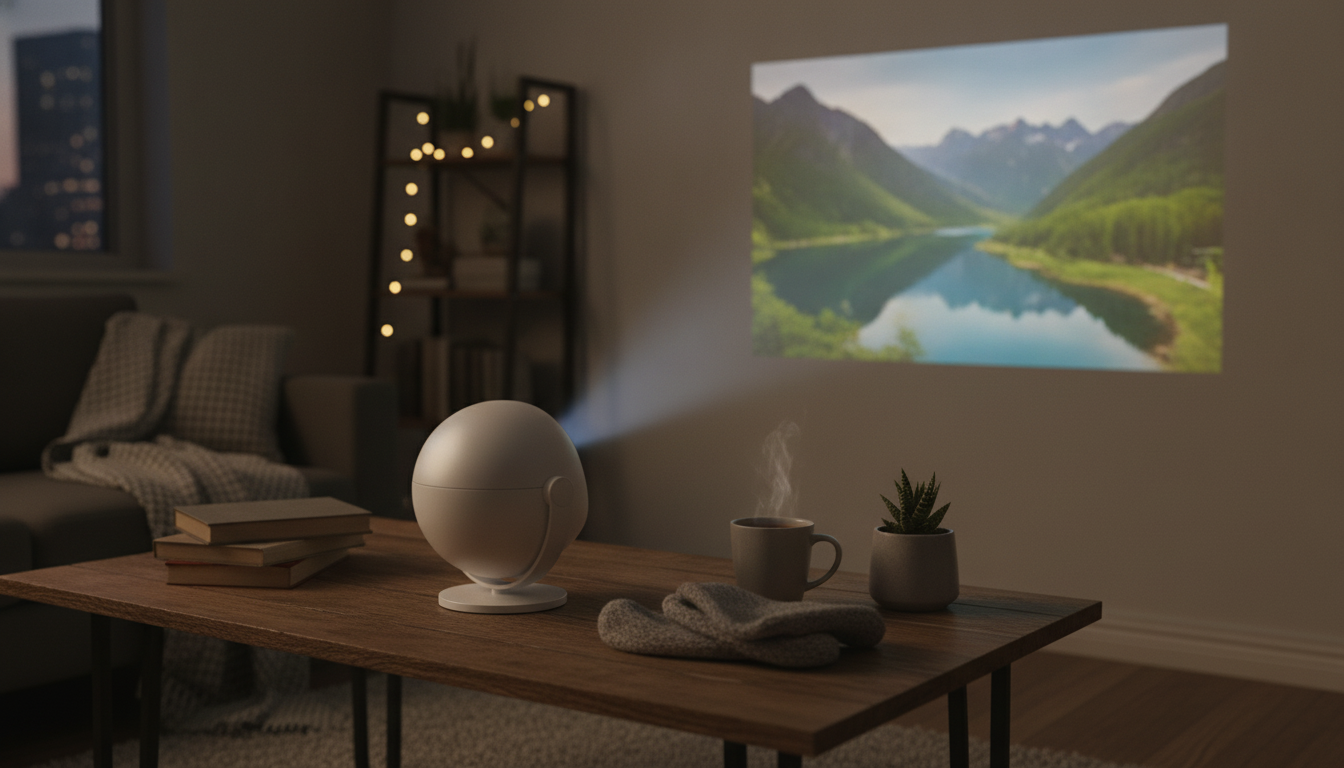
Portable HD 720P Smart Projector Basics: What to Expect
A portable HD 720P projector with Android 11, Bluetooth, and dual-band Wi‑Fi is built for convenience: fewer add-on devices, fewer cables, and a faster path from “set it down” to “press play.” For bedrooms, dorms, apartments, and travel setups, this style of compact projector can handle movie nights, casual sports streaming, kids’ cartoons, and quick presentations—especially when the room lighting is under control.
The key to enjoying a 720p projector is matching expectations to the real-world conditions. In a darker room and at moderate screen sizes, 720p can look crisp and engaging. In bright rooms or when stretching the image very large, perceived contrast and detail drop quickly, so placement and lighting matter as much as the projector itself.
What This Type of Portable Smart Projector Is Best For
- Small-space entertainment: Quick setup for bedrooms, dorms, and apartments using a wall or portable screen.
- Travel-friendly viewing: A lightweight option for trips, rentals, or backyard gatherings (when power and lighting allow).
- Simple all-in-one streaming: Built-in Android apps can reduce reliance on laptops and streaming sticks.
- Casual sharing: Wireless casting for photos, short videos, and light school or office use.
- Expectations to set: 720p is great for everyday viewing; bright rooms and huge images require more careful placement and lighting control.
Key Features That Matter Day to Day (Android 11, Bluetooth, Dual Wi‑Fi)
Android 11 onboard
Android 11 provides an app-based interface that feels familiar if you’ve used Android TV-style streaming. Day-to-day performance depends on the projector’s available storage/RAM and what each app demands. Keeping apps updated and uninstalling what you don’t use helps maintain smoother navigation. For platform details, see the official Android site.
Bluetooth audio
Bluetooth is a practical upgrade when the built-in speaker is “fine in a pinch” but not ideal for movie dialogue or music. Pairing to a compact soundbar or portable speaker can add clearer vocals and more bass without running a long cable across the room. If you want a deeper technical overview of the standard, the Bluetooth SIG has a straightforward explainer.
Dual-band Wi‑Fi (2.4G/5G)
Dual-band Wi‑Fi is about flexibility. 5GHz often streams more smoothly in busy apartment buildings because it can face less interference, while 2.4GHz can travel farther and hold up better through walls. If streaming stutters, changing bands can fix it faster than digging through app settings. General Wi‑Fi fundamentals are available from the Wi‑Fi Alliance.
Compatibility notes for streaming apps
Some streaming services limit playback resolution or require specific device certifications. When an app behaves inconsistently on an Android projector build, an HDMI streaming stick, game console, or laptop can be a reliable fallback—especially for subscription services with strict DRM requirements.
Setup Checklist: From Unboxing to the First Movie Night
- Placement: Start as centered to the wall/screen as possible to minimize keystone correction and preserve sharpness.
- Focus and alignment: Let the projector warm up briefly, then set focus. Adjust distance to reach the screen size you want without over-stretching the image.
- Network: Try 5GHz first if the signal is strong; switch to 2.4GHz if it’s more stable where you’re placing the projector.
- Audio: Choose built-in speaker, Bluetooth speaker, or wired audio (if available). Pair Bluetooth before opening streaming apps to reduce connection hiccups.
- Streaming apps: Sign in, update apps as needed, and confirm time/date settings to avoid login or DRM errors.
- Backup plan: Keep an HDMI streaming stick or laptop handy for services that don’t play nicely on some projector Android builds.
Image Quality in Real Rooms: Getting the Best 720p Experience
| Adjustment | What to do | What improves most |
|---|---|---|
| Ambient light | Darken the room; avoid lamps facing the screen | Contrast and color saturation |
| Projection surface | Use a screen or a smooth, matte wall | Sharpness and uniformity |
| Projector alignment | Center and level the unit before using keystone | Edge clarity and geometry |
| Screen size | Start smaller and increase gradually | Perceived detail and brightness |
| Viewing distance | Sit far enough that pixels aren’t noticeable | Comfort and perceived resolution |
Wireless Connections: Casting, Streaming Stability, and Audio Pairing
Care, Safety, and Long-Term Use
Product Snapshot
If the goal is easy streaming in a compact setup, the Portable HD 720P Projector with Android 11, Bluetooth, Dual WiFi is a practical pick for casual movie nights, bedroom viewing, and portable setups where lighting can be controlled.
For rooms where lighting is part of the challenge, a fixture upgrade can help you manage glare and direct light away from the projection area. Consider the Vintage Glass Pendant Light with LED Compatibility for Indoor and Outdoor Spaces to create a more projector-friendly layout (aiming light away from the screen is usually the biggest win).
At-a-Glance Details
| Item | Value |
|---|---|
| Product | Portable HD 720P Projector with Android 11, Bluetooth, Dual WiFi |
| Price | 78.01 USD |
| Availability | In stock |
FAQ
Does a 720p projector look good for movies?
Yes—at moderate screen sizes and normal seating distances, 720p can look very good, especially in a dim room. Limitations become more noticeable in bright rooms or when pushing a very large image.
What is the advantage of dual-band Wi‑Fi on a projector?
Dual-band gives you options: 5GHz can be faster with less interference for streaming, while 2.4GHz can provide longer range. Use the band that stays most stable where the projector is set up.
Can Bluetooth speakers cause audio delay with a projector?
They can—Bluetooth may introduce a small amount of latency. If it’s distracting, try moving the speaker closer, re-pairing, using any available audio sync controls, or switching to wired audio/HDMI sources for gaming or lip-sync sensitive viewing.










Leave a comment