Rapid Trigger 60% Keyboard: Magnetic Switch Speed Guide
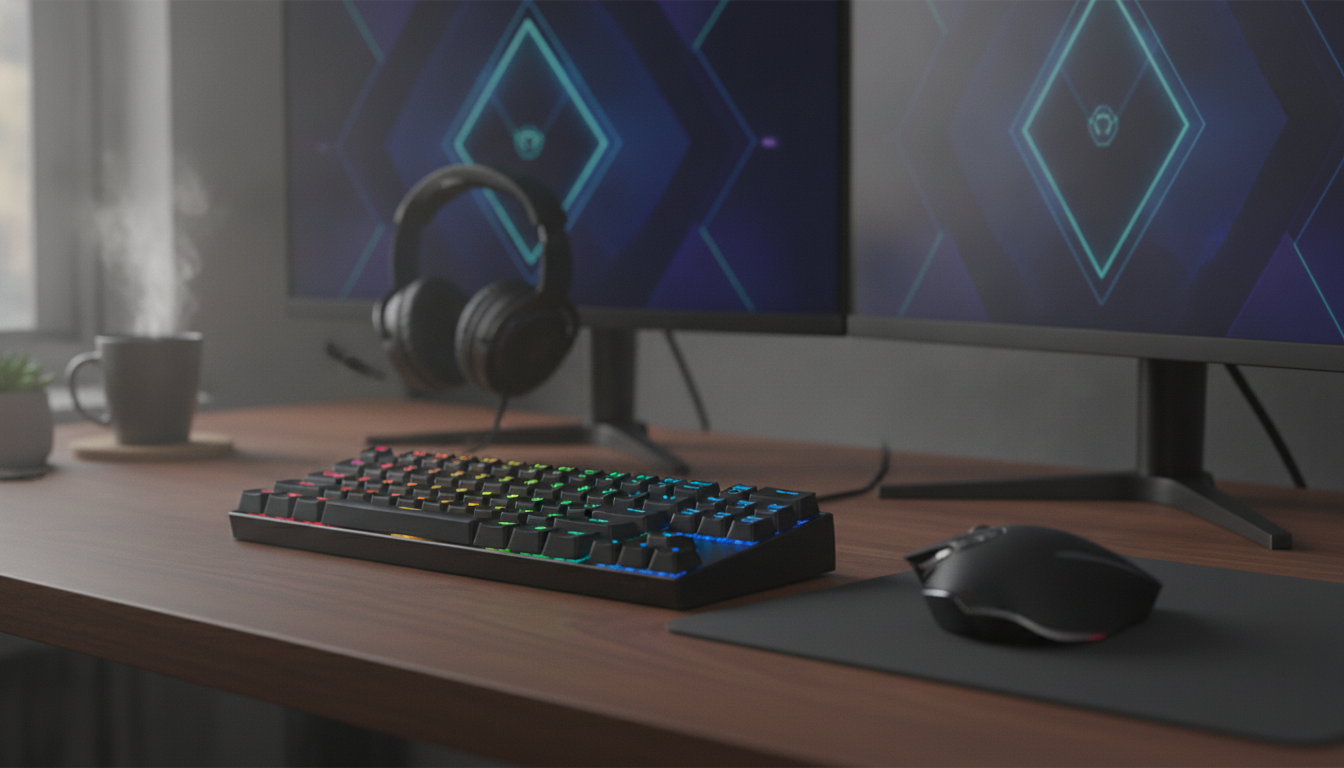
Rapid-Trigger 60% Gaming Keyboard with Magnetic Switches: Faster Stops, Faster Starts
A compact 60% keyboard built around magnetic (Hall-effect) switches changes how movement and actions feel in fast games. Instead of waiting for a switch to fully reset, rapid trigger continuously updates actuation and reset points based on how far the key is pressed, making repeated strafes, counter-strafes, and tap inputs feel quicker and more controllable. With the right tuning, it can feel like your keyboard is “following” your fingers rather than forcing you to bottom out or fully release between inputs.
If the goal is tighter movement control and cleaner repeated taps—especially in competitive shooters—this guide explains what rapid trigger does, why magnetic sensing enables it, what settings matter most, and what to check before buying.
What rapid trigger changes in real gameplay
Traditional mechanical switches usually have fixed actuation and reset points. That means a key must travel back past a specific reset point before a new press registers. Rapid trigger changes that by allowing the keyboard to reset based on key travel position in real time. In practice, that can make quick “tap-tap” sequences feel more immediate.
- Faster re-presses during rapid taps: Inputs can reset without requiring a full return to a fixed mechanical reset point.
- More control with short key movements: Small, repeated motions—common in FPS strafing, rhythm timing, and action cancels—can feel easier to repeat consistently.
- Partial releases become meaningful: Lifting a key slightly can stop movement sooner than with many standard switches.
- Less “stuck movement” on direction changes: Rapid changes from A→D (or D→A) can feel cleaner when the board stops one input quickly and starts the other quickly.
- Tuning matters: Very aggressive settings can feel ultra-responsive, but may increase accidental inputs until adjusted.
Magnetic (Hall-effect) switches, explained simply
Magnetic (Hall-effect) switches use a sensor to measure the key’s position continuously, rather than relying on metal contacts touching inside the switch. A small magnet moves with the key stem, and the sensor reads the magnetic field to determine how far the key is pressed. For a plain-language overview of Hall-effect sensing, Texas Instruments has a solid primer here: How a Hall Effect sensor works (TI).
- Position-based actuation: Because the keyboard is reading distance, many designs support adjustable actuation points and rapid trigger behavior through software/firmware.
- Reduced contact issues: No metal-leaf contact means less concern about contact wear or chatter that can appear in some traditional designs over time.
- Feel still matters: Magnetic sensing changes how a press is detected, but the physical feel still depends on the housing, spring weight, stabilizers, plate, and keycaps.
Why a 60% layout can be an advantage
A 60% keyboard trims the footprint down to the essentials. For many competitive setups, that tradeoff directly benefits aiming space and portability—two things that matter when desk real estate is tight or you play on low sensitivity.
Settings that matter most (and how to start)
- Actuation point: Set a deeper actuation at first to reduce accidental presses. Once consistent, move it shallower for maximum responsiveness.
- Rapid trigger sensitivity: Begin moderately so tiny finger tremors don’t cause re-triggers. Tighten only after a few sessions.
- Per-key tuning: Consider stronger rapid trigger on movement keys (WASD) and slightly safer settings on reload, crouch, or abilities.
- Scan rate, polling, and firmware stability: Hall-effect designs don’t depend on classic debounce in the same way, but stable firmware and consistent input reporting still affect perceived responsiveness. For deeper context on input devices and reporting, see the USB-IF reference: USB HID Usage Tables.
- Adaptation period: Rapid trigger can feel “too eager” for the first day or two; dialing in settings often fixes that.
Build quality checkpoints before buying
Quick comparison: rapid trigger magnetic vs standard mechanical
| Feature | Rapid-trigger magnetic switches | Traditional mechanical switches |
|---|---|---|
| Input behavior | Continuously tracks key travel; actuation/reset can be dynamic | Actuation and reset are tied to fixed physical points |
| Adjustable actuation | Often available via software/firmware | Usually fixed per switch design (with limited exceptions) |
| Repeated taps | Potentially faster re-triggering with partial releases | Re-trigger depends on crossing the reset point |
| Risk of accidental input | Higher if tuned too aggressively; manageable with settings | Typically lower at default behavior |
| Best fit | Competitive movement-heavy play and users who like tuning | General use, typing, and those who prefer set-and-forget |
Who benefits most (and who may not)
Product picks for a compact, competitive setup
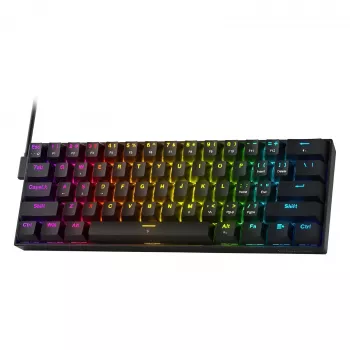
- Rapid-Trigger 60% Gaming Keyboard with Magnetic Switches — a compact option aimed at players who want rapid trigger behavior and magnetic switch adjustability in a clean 60% footprint.
- Vintage Glass Pendant Light with LED Compatibility for Indoor and Outdoor Spaces — a desk-area lighting upgrade that can help reduce eye strain and make your setup feel more intentional during long sessions.
FAQ
Are magnetic switches the same as mechanical switches?
They can still feel mechanical because you’re pressing a spring-loaded stem in a housing, but the key press is detected by a Hall-effect sensor reading magnet position instead of metal contacts. That position-based sensing often enables adjustable actuation and can reduce contact-wear issues.
Does rapid trigger help in FPS games?
It can, especially for quick taps and rapid direction changes where stopping and starting inputs quickly matters. The improvement depends on tuning and finger control, and overly aggressive settings can cause accidental inputs until you dial them back.
Is a 60% keyboard practical for everyday use?
Yes, but it relies on layers for arrows and navigation keys, so there’s a learning curve. Many users adapt quickly, and the extra mouse space can be a real benefit even outside of gaming.












Leave a comment